Building Resilient Architecture for High-Traffic Apps: Handling Spikes Without Crashing the Database
 Sai PrasadOctober 24, 202628 min read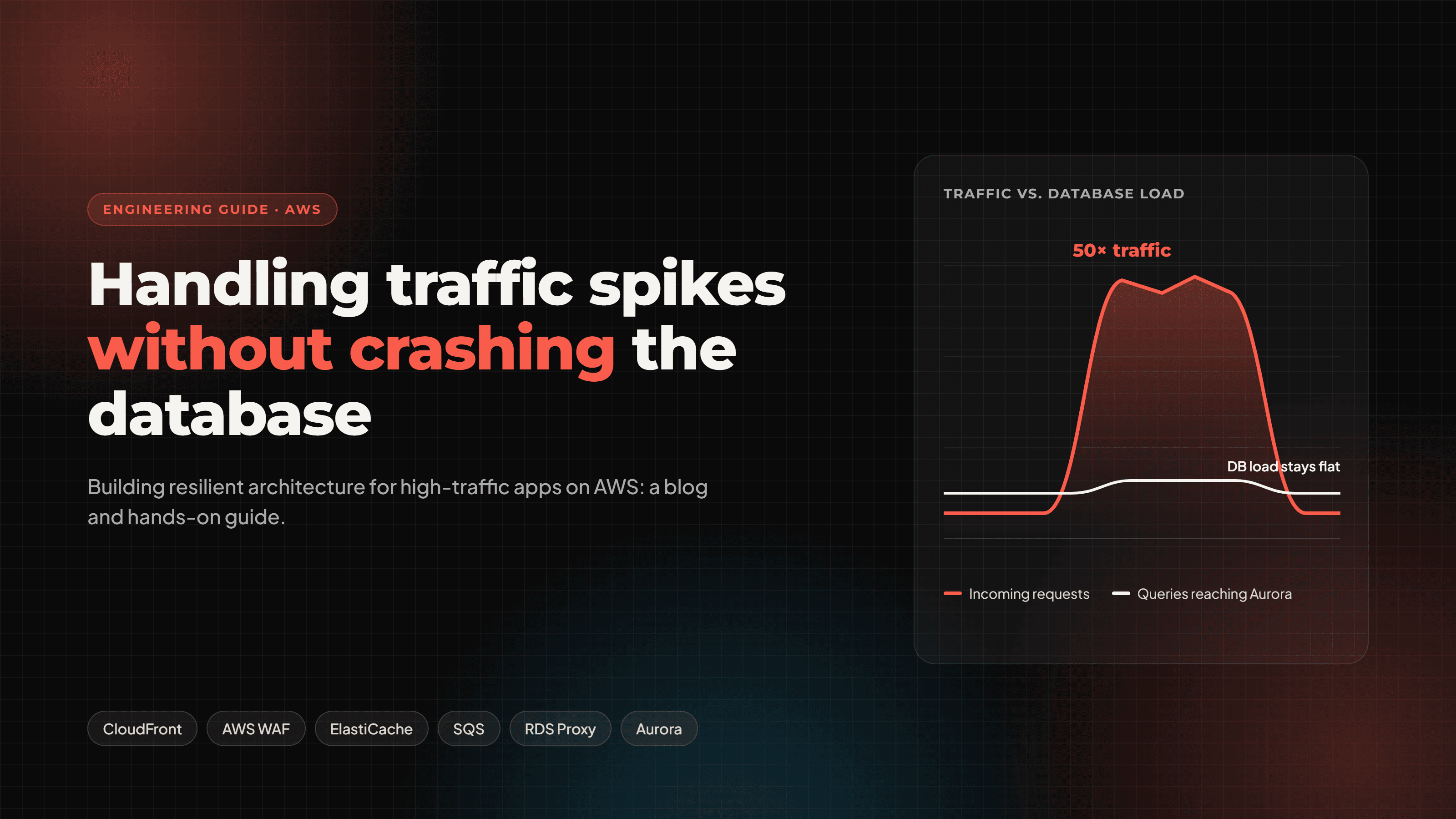
On this page
Why the database breaks first
When traffic spikes, your database is almost always the first thing to fall over. App servers scale out in seconds. A relational database scales up slowly, holds state, and has a hard ceiling on connections.
Think of a flash sale, a product launch, exam results going live, or a post that goes viral. Traffic jumps 10x to 50x in minutes. Your autoscaling group happily adds 40 new containers, each opens 20 connections, and suddenly 800 connections hit a database tuned for 300. Queries queue, latency climbs, clients retry, and the retries make it worse.
The fix is not a bigger database. It is an architecture where every layer in front of the database absorbs load, so only the work that truly must touch the database ever reaches it.
This guide walks through that architecture on AWS, layer by layer:
Edge: CloudFront, AWS WAF, API Gateway throttling
Compute: ALB, ECS Fargate or Lambda, with concurrency caps
Cache: ElastiCache for Redis with stampede protection
Connections: RDS Proxy and sane pool sizing
Writes: SQS as a shock absorber, with idempotent workers
Database: Aurora PostgreSQL with read replicas and Serverless v2
App code: timeouts, retries with jitter, circuit breakers, load shedding
Proof: CloudWatch alarms, load tests and fault injection
Every section has the why, the AWS setup, and Node.js/TypeScript you can adapt. By the end you will have a checklist to take a typical web app from "falls over at 5x" to "shrugs off 50x".
Anatomy of a spike: how a database actually dies
A database rarely crashes from one cause. It dies from a chain reaction, and knowing the links tells you where to cut it.
Failure mode | What you see | Root cause | Where we fix it |
|---|---|---|---|
Connection exhaustion |
| Every new container or Lambda opens its own pool | RDS Proxy, pool caps, concurrency limits |
CPU saturation | CPU at 100%, every query slows | Repeated identical reads, missing indexes, N+1 queries | Caching, read replicas, query tuning |
Lock contention | Rising | Many writers updating the same hot rows (counters, inventory) | SQS write buffering, atomic updates, DynamoDB for counters |
IOPS / storage throughput | High read/write latency, | Working set no longer fits in memory | Cache, larger instance class, Aurora I/O-Optimized |
Replica lag | Users see stale data right after writing | Write burst outpaces replication | Read-your-writes routing, buffering writes |
Retry storm | Traffic keeps climbing after the original spike ends | Clients and services retry instantly on timeout | Backoff with jitter, circuit breakers, load shedding |
The retry storm deserves special attention. A database at 95% capacity answers slowly, slow answers become timeouts, and every timeout becomes two or three new requests. You go from 1.0x to 3.0x load with no new users at all. This is why the patterns later in this guide focus as much on saying no politely as on scaling up.
The guiding rule for everything that follows:
Protect the database's two scarcest resources: connections and write throughput. Everything else can scale horizontally; those cannot.
The reference architecture on AWS
The architecture is a funnel: each layer handles what it can and passes on less than it received, so Aurora only sees cache misses, critical writes and queue workers running at a rate you control.

Read it top to bottom. Reads stop at CloudFront or Redis whenever possible, non-urgent writes wait in SQS, and hot key-value traffic goes to DynamoDB. Everything that still needs Postgres passes through RDS Proxy. The rest of this guide builds each layer in that order.
Layer 1 — The edge: stop traffic before it reaches you
The cheapest request is the one your servers never see. At the edge you have three tools: cache what you can, block what is abusive, and throttle what is left.
CloudFront: cache more than just static files
Most teams put images and JS behind CloudFront and stop there. During a spike, the bigger win is caching public API responses that are the same for every user: product listings, course catalogs, leaderboards, pricing pages.
Give those endpoints explicit cache headers from your app:
// Express: cacheable public endpoint
app.get('/api/catalog', async (req, res) => {
  const data = await catalogService.list();
  // Browsers keep it 30s; CloudFront keeps it 60s and may serve stale for 5 min while refreshing
  res.set('Cache-Control', 'public, max-age=30, s-maxage=60, stale-while-revalidate=300');
  res.json(data);
});
Then create a CloudFront cache policy for /api/catalog* that keys only on the query strings you actually use (for example page, category). Every extra header or cookie in the cache key fragments the cache and lowers your hit ratio.
With a 60-second TTL, a catalog endpoint getting 5,000 requests per second sends roughly one request per minute per edge location to your origin. That is the single biggest lever in this whole guide.
Turn on Origin Shield in the region closest to your origin. It collapses misses from all edge locations into one regional cache, so a cold cache does not mean 400 simultaneous origin hits.
AWS WAF: rate-based rules
A spike is not always real users. Bots, scrapers and credential-stuffing attacks look identical to your database. Attach a WAF web ACL to CloudFront with:
AWS Managed Rules:
AWSManagedRulesCommonRuleSetandAWSManagedRulesBotControlRuleSetA rate-based rule per IP, for example 2,000 requests per 5 minutes on
/api/*A tighter rate-based rule on expensive or sensitive paths such as
/api/auth/loginand/api/search
API Gateway (or ALB) throttling
If you use API Gateway, set stage-level throttling (steady-state rate plus burst) and, for B2B or partner APIs, usage plans with per-API-key quotas. When the limit is hit, clients get a fast 429 Too Many Requests instead of a slow timeout, and a fast 429 is far kinder to your database than a 30-second hang.
Document the 429 behaviour for your frontend: show a friendly "high demand, retrying" state and retry with backoff instead of hammering refresh.
Layer 2 — Compute: scale out, but with a ceiling
Autoscaling is great until it scales your app faster than your database can follow. The goal here is elastic compute with a hard cap on how much pressure it can put on the data layer.
ECS Fargate behind an ALB
For most Node.js APIs, ECS Fargate behind an Application Load Balancer is the sweet spot: no servers to patch, fast scale-out, and predictable connection counts.
Configure service autoscaling with target tracking:
ALBRequestCountPerTargettarget of around 500–1,000 requests per minute per task (tune from load tests)ECSServiceAverageCPUUtilizationtarget of 60% as a backstopA maximum task count you have actually calculated (see below), not a hopeful 1,000
Scale out fast and scale in slowly: a short scale-out cooldown (60s) and a longer scale-in cooldown (300s+) stop the fleet from flapping during a bursty spike.
The connection budget formula
This is the most important number you will compute in this guide:
\text{max tasks} \times \text{pool size per task} \le \text{DB max connections} \times 0.8If your Aurora instance allows 1,000 connections and each task uses a pool of 10, your maximum task count is 80. Any higher and a spike will exhaust connections. RDS Proxy (Layer 4) relaxes this, but the discipline still matters.
Lambda: reserved concurrency is your safety valve
Lambda can go from 10 to 1,000 concurrent executions in seconds, and each one may open its own database connection. Always:
Set reserved concurrency on any function that touches the database, sized to what the database can take
Put RDS Proxy between Lambda and RDS, always
Create clients outside the handler so warm invocations reuse them
import { Pool } from 'pg';

// Created once per execution environment, reused across invocations
const pool = new Pool({
  host: process.env.DB_PROXY_ENDPOINT,
  max: 1,                 // one connection per Lambda instance
  idleTimeoutMillis: 120_000,
  connectionTimeoutMillis: 2_000,
});

export const handler = async (event: { courseId: string }) => {
  const { rows } = await pool.query('SELECT id, title FROM courses WHERE id = $1', [event.courseId]);
  return rows[0] ?? null;
};
Bound concurrency inside each process too
Even one Node.js process can flood the pool if 2,000 requests arrive at once. Cap in-flight database work per process and fail fast when the queue is full, rather than letting requests pile up until they time out. We build this in the resilience section with a small load-shedding middleware.
Layer 3 — Caching with ElastiCache for Redis
A well-designed cache turns a 50x traffic spike into a 2x database spike. A naive cache turns it into an outage the moment a hot key expires. The difference is in three details: cache-aside, stampede protection and TTL jitter.
Setup on AWS
ElastiCache for Redis (or Valkey) in cluster mode, Multi-AZ with automatic failover
At least one replica per shard; scale reads by adding replicas, scale memory and writes by adding shards
Or ElastiCache Serverless if you would rather not size nodes; it scales with traffic automatically
Place it in the same VPC and private subnets as your app, with a security group that only allows your app tasks
Cache-aside with stampede protection
The classic failure: a popular key expires, and 3,000 concurrent requests all miss at once and all run the same expensive query. This is a cache stampede (or thundering herd). The fix is to let exactly one request rebuild the value while the others wait briefly or get the stale copy.
import Redis from 'ioredis';

const redis = new Redis.Cluster([{ host: process.env.REDIS_HOST!, port: 6379 }], {
  redisOptions: { tls: {} },
});

const sleep = (ms: number) => new Promise((r) => setTimeout(r, ms));

// Add +/-10% randomness so keys written together don't expire together
const jitter = (ttl: number) => Math.round(ttl * (0.9 + Math.random() * 0.2));

export async function cached<T>(
  key: string,
  ttlSeconds: number,
  load: () => Promise<T>,
): Promise<T> {
  const hit = await redis.get(key);
  if (hit) return JSON.parse(hit) as T;

  // Only one caller wins the lock and hits the database
  const lockKey = `lock:${key}`;
  const gotLock = await redis.set(lockKey, '1', 'EX', 10, 'NX');

  if (gotLock) {
    try {
      const fresh = await load();
      await redis.set(key, JSON.stringify(fresh), 'EX', jitter(ttlSeconds));
      return fresh;
    } finally {
      await redis.del(lockKey);
    }
  }

  // Everyone else waits briefly for the winner to fill the cache
  for (let i = 0; i < 20; i++) {
    await sleep(50);
    const v = await redis.get(key);
    if (v) return JSON.parse(v) as T;
  }
  return load(); // last resort after ~1s
}

// Usage
const course = await cached(`course:${id}:v1`, 300, () => courseRepo.findById(id));
Rules that keep the cache honest
Jitter every TTL. Without it, a cache warmed at deploy time expires all at once five minutes later.
Version your keys (
course:123:v1). Changing the shape of cached data becomes a key bump, not a flush.Invalidate on write, then let the next read repopulate. Deleting is safer than updating the cache in place, which can race with concurrent reads.
Cache negative results ("not found") for a short TTL, so a bot requesting random IDs cannot bypass the cache.
Warm the cache before known spikes. If results go live at 10:00, run a job at 09:55 that loads the hot keys.
Treat Redis as optional. Wrap calls in a short timeout; if Redis is down, fall back to the database through the circuit breaker, not around it.
Even better: serve stale
For data where a few seconds of staleness is fine, store a soft expiry inside the value and a longer hard TTL on the key. When the soft expiry passes, return the stale value immediately and refresh it in the background. Users never wait, and the database sees one refresh per key per interval regardless of traffic.
Layer 4 — Connection management with RDS Proxy
PostgreSQL creates a separate backend process for every connection, at a cost of several MB of memory each. Thousands of connections can starve the database of memory even when nobody is running a query. RDS Proxy sits between your app and Aurora, keeps a warm pool of database connections, and multiplexes thousands of client connections onto it.
What RDS Proxy gives you
Connection pooling and multiplexing: 2,000 app connections can share 200 database connections
Faster failovers: the proxy holds client connections open while Aurora fails over to a replica, cutting failover impact to seconds
IAM authentication and credentials pulled from Secrets Manager, so no passwords in env vars
A cap you control:
MaxConnectionsPercentlimits how much of the database the proxy may ever use
Setup checklist
Store the database credentials in AWS Secrets Manager.
Create the proxy in the same VPC and private subnets as Aurora; attach it to the cluster as the target.
Set
MaxConnectionsPercentto around 75–90%, leaving room for admin, migrations and replicas.Set
MaxIdleConnectionsPercentso the pool stays warm between bursts.Create a read-only endpoint on the proxy that targets the Aurora readers, for read traffic.
Point the app at the proxy endpoints, never directly at the cluster.
Avoid connection pinning
RDS Proxy can only share a connection between clients when that connection holds no session state. Some things "pin" a client to one database connection for its whole session and silently kill multiplexing:
SETstatements that change session variables (for exampleSET search_path,SET timezone)Session-level advisory locks and temporary tables
Some prepared statement patterns in certain drivers
Watch the CloudWatch metric DatabaseConnectionsCurrentlySessionPinned. If it climbs with traffic, move those settings into the database role defaults (ALTER ROLE app SET search_path = ...) or into individual transactions with SET LOCAL.
Size the app-side pool
import { Pool } from 'pg';

export const writer = new Pool({
  host: process.env.DB_PROXY_ENDPOINT,          // read/write proxy endpoint
  max: 10,                                       // per task; obeys the connection budget
  idleTimeoutMillis: 30_000,
  connectionTimeoutMillis: 2_000,                // fail fast; never queue for 30s
  statement_timeout: 5_000,                      // kill runaway queries
  query_timeout: 6_000,
});

export const reader = new Pool({
  host: process.env.DB_PROXY_READ_ENDPOINT,     // read-only proxy endpoint
  max: 20,
  connectionTimeoutMillis: 2_000,
  statement_timeout: 5_000,
});
Notice the short timeouts. During a spike, a request that waits 30 seconds for a connection is worse than one that fails in 2 seconds: it holds memory, holds an HTTP socket, and the client retries anyway.
Layer 5 — Async writes: SQS as a shock absorber
Caching solves reads. Writes are harder, because they must eventually reach the database. The trick is to decouple when a write is accepted from when it is applied. A queue absorbs a burst of 20,000 writes per second, and workers drain it at the 2,000 per second the database can comfortably handle.
What should go through a queue
Ask of every write: does the user need the result in this same HTTP response?
Write | Synchronous? | Why |
|---|---|---|
Payment or order placement | Yes (or reserve now, confirm async) | User needs a definite answer |
Signup, login | Yes | Session depends on it |
Analytics events, page views, clicks | No — queue | Nobody waits on them |
Quiz answers, progress tracking, likes | No — queue | Accept fast, persist shortly after |
Emails, notifications, webhooks | No — queue | Already async by nature |
Search index and report updates | No — queue | Eventual consistency is fine |
In a typical app, more than half of write volume during a spike can move to a queue.
Producer: accept fast, return 202
import { SQSClient, SendMessageCommand } from '@aws-sdk/client-sqs';
import { randomUUID } from 'node:crypto';

const sqs = new SQSClient({});

app.post('/api/progress', async (req, res) => {
  const event = {
    id: randomUUID(),                // idempotency key
    userId: req.user.id,
    lessonId: req.body.lessonId,
    percent: req.body.percent,
    at: new Date().toISOString(),
  };

  await sqs.send(new SendMessageCommand({
    QueueUrl: process.env.PROGRESS_QUEUE_URL,
    MessageBody: JSON.stringify(event),
  }));

  res.status(202).json({ accepted: true, id: event.id });
});
Consumer: batch, idempotent, bounded
A Lambda consumer with an SQS event source works well. Three settings control how hard it hits the database:
Batch size (for example 100) and batching window (for example 2s): turn 100 inserts into one multi-row insert
Maximum concurrency on the event source mapping (for example 10): the true throttle on database pressure
ReportBatchItemFailures: retry only the messages that failed, not the whole batch
import type { SQSEvent, SQSBatchResponse } from 'aws-lambda';
import { writer } from './db';

export const handler = async (event: SQSEvent): Promise<SQSBatchResponse> => {
  const failures: { itemIdentifier: string }[] = [];
  const rows = event.Records.map((r) => ({ msgId: r.messageId, ...JSON.parse(r.body) }));

  try {
    // One round trip for the whole batch; ON CONFLICT makes redelivery harmless
    await writer.query(
      `INSERT INTO lesson_progress (event_id, user_id, lesson_id, percent, recorded_at)
       SELECT * FROM UNNEST($1::uuid[], $2::uuid[], $3::uuid[], $4::int[], $5::timestamptz[])
       ON CONFLICT (event_id) DO NOTHING`,
      [
        rows.map((r) => r.id),
        rows.map((r) => r.userId),
        rows.map((r) => r.lessonId),
        rows.map((r) => r.percent),
        rows.map((r) => r.at),
      ],
    );
  } catch (err) {
    console.error('batch insert failed', err);
    rows.forEach((r) => failures.push({ itemIdentifier: r.msgId }));
  }

  return { batchItemFailures: failures };
};
The non-negotiables
Idempotency. Standard SQS queues deliver at least once. Every message carries a unique ID and the write uses
ON CONFLICT DO NOTHING(or an upsert), so a duplicate does nothing.Dead-letter queue. Set a redrive policy (for example
maxReceiveCount: 5) so a poison message stops retrying forever and lands somewhere you can inspect.Visibility timeout at least 6x the function timeout, so in-flight messages are not handed to a second worker.
Use FIFO queues only when order truly matters (for example per-user ledger entries, grouped by
MessageGroupId); they have lower throughput limits.Alarm on queue age, not just depth:
ApproximateAgeOfOldestMessagetells you how stale your data is getting.
Hot counters: don't fight over one row
Likes, views and seat counts are classic lock-contention hotspots. Instead of UPDATE ... SET count = count + 1 from thousands of requests, increment in Redis (INCR) or DynamoDB (atomic ADD), and flush the totals to Postgres every few seconds from a worker.
Layer 6 — The database: Aurora, replicas and the right store for hot paths
By now most of the spike has been absorbed. What reaches the database is cache misses, essential synchronous writes and queue workers at a controlled rate. Now we make the database itself elastic and fault tolerant.
Aurora PostgreSQL as the core
Amazon Aurora separates compute from storage. Storage is replicated six ways across three Availability Zones and grows automatically, and replicas read the same storage volume, so replica lag is typically tens of milliseconds rather than seconds.
A resilient baseline:
One writer + at least two readers across different AZs; a reader is promoted automatically if the writer fails
Aurora Auto Scaling for replicas, target tracking on reader CPU (for example 60%) with a minimum of 2 and a maximum of 8
Aurora I/O-Optimized if I/O is more than about a quarter of your Aurora bill; it also removes per-request I/O cost surprises during spikes
Performance Insights enabled (more in the observability section)
Aurora Serverless v2 for spiky workloads
Serverless v2 instances scale capacity in fine-grained steps (ACUs) within seconds, while the instance stays online. You can mix them with provisioned instances in one cluster:
A provisioned writer sized for your normal peak, for predictable write performance
Serverless v2 readers with a range like 2–64 ACUs that expand during the spike and shrink back after
Set the minimum ACU high enough that the buffer cache stays warm. Scaling from a tiny minimum works, but a cold cache means slow queries in the first minutes of a spike, exactly when you need them fast.
Read/write splitting in the app
Send reads to the reader endpoint (through the RDS Proxy read-only endpoint) and writes to the writer. Handle read-your-own-writes: right after a user changes something, read their data from the writer for a few seconds so they never see stale data.
import { writer, reader } from './db';

const RECENT_WRITE_MS = 5_000;

export function poolFor(req: { session?: { lastWriteAt?: number } }) {
  const last = req.session?.lastWriteAt ?? 0;
  return Date.now() - last < RECENT_WRITE_MS ? writer : reader;
}

// In a route
const { rows } = await poolFor(req).query('SELECT * FROM enrollments WHERE user_id = $1', [req.user.id]);
Make queries cheap before you make the database bigger
Scaling hardware multiplies whatever your queries do. Before a known spike:
Find the top 10 queries by total time in Performance Insights; index or rewrite them
Kill N+1 patterns: batch lookups with
WHERE id = ANY($1)Replace
OFFSETpagination with keyset pagination (WHERE id > $last ORDER BY id LIMIT 50)Precompute heavy aggregates (dashboards, leaderboards) into summary tables or materialized views on a schedule
DynamoDB for the hottest, simplest paths
Some access patterns are a poor fit for a relational database under extreme load: session storage, rate-limit counters, carts, idempotency keys, feature flags, real-time counters. DynamoDB in on-demand mode handles sudden jumps in key-value traffic without connection pools at all, and it scales per partition.
Use it alongside Aurora, not instead of it. Keep relational, transactional data in Postgres; move the high-volume, simple-key data out. Design partition keys so traffic spreads out (for example counter#<id>#<shard 0-9> for a very hot counter).
Resilience patterns in your Node.js code
Infrastructure buys capacity; application code decides what happens when capacity runs out. These five patterns turn "the site is down" into "some features are slower for a few minutes".
1. Timeouts on everything
Every network call (database, Redis, SQS, third-party APIs) needs a timeout shorter than the caller's timeout. The default for many clients is no timeout, which means a slow dependency quietly eats all your sockets and memory.
A sensible budget for an API with a 10s ALB timeout: DB query 5s, Redis 200ms, external API 3s, connection acquire 2s.
2. Retries with exponential backoff and full jitter
Retry only failures that are likely transient (timeouts, 503, throttling), only for idempotent operations, a bounded number of times, and with random delays so clients do not retry in lockstep.
const sleep = (ms: number) => new Promise((r) => setTimeout(r, ms));

export async function withRetry<T>(
  fn: () => Promise<T>,
  { attempts = 3, baseMs = 100, capMs = 2_000 } = {},
): Promise<T> {
  let lastErr: unknown;
  for (let i = 0; i < attempts; i++) {
    try {
      return await fn();
    } catch (err) {
      lastErr = err;
      if (!isTransient(err) || i === attempts - 1) break;
      // Full jitter: random delay between 0 and the exponential cap
      const delay = Math.random() * Math.min(capMs, baseMs * 2 ** i);
      await sleep(delay);
    }
  }
  throw lastErr;
}

const isTransient = (err: any) =>
  ['ETIMEDOUT', 'ECONNRESET', '57P01', '53300'].includes(err?.code) || err?.$retryable;
The AWS SDK v3 already retries with backoff; do not wrap SDK calls in a second retry loop, or a 3 × 3 retry multiplies into 9 attempts per request.
3. Circuit breakers
When the database is clearly struggling, continuing to send it full traffic guarantees it never recovers. A circuit breaker trips after a failure threshold, fails fast for a cool-down period, then lets a few test requests through. The opossum library is the common choice in Node.js:
import CircuitBreaker from 'opossum';
import { reader } from './db';

const getCourse = (id: string) =>
  reader.query('SELECT * FROM courses WHERE id = $1', [id]).then((r) => r.rows[0]);

export const courseBreaker = new CircuitBreaker(getCourse, {
  timeout: 3_000,                  // a call slower than this counts as a failure
  errorThresholdPercentage: 50,    // trip when half the calls fail...
  volumeThreshold: 20,             // ...over at least 20 calls
  resetTimeout: 10_000,            // try again after 10s
});

// Fallback: serve the last cached copy instead of an error
courseBreaker.fallback(async (id: string) => {
  const stale = await redis.get(`course:${id}:stale`);
  if (stale) return JSON.parse(stale);
  throw new Error('course temporarily unavailable');
});

courseBreaker.on('open', () => logger.warn('course breaker OPEN'));
4. Load shedding
When a process is past its safe limit, reject new work immediately with 503 and a Retry-After header. Fast rejection keeps latency good for the requests you do accept, instead of making everyone wait and time out.
import type { Request, Response, NextFunction } from 'express';
import { monitorEventLoopDelay } from 'node:perf_hooks';

const MAX_IN_FLIGHT = 200;
const MAX_LOOP_DELAY_MS = 200;
let inFlight = 0;

const loop = monitorEventLoopDelay({ resolution: 20 });
loop.enable();

export function shedLoad(req: Request, res: Response, next: NextFunction) {
  const lagMs = loop.mean / 1e6;
  if (inFlight >= MAX_IN_FLIGHT || lagMs > MAX_LOOP_DELAY_MS) {
    res.set('Retry-After', '2').status(503).json({ error: 'busy, please retry' });
    return;
  }
  inFlight++;
  res.on('close', () => { inFlight--; });
  next();
}

// Shed only the expensive routes; keep health checks and checkout responsive
app.use('/api/search', shedLoad);
app.use('/api/reports', shedLoad);
Call loop.reset() on an interval (for example every 5 seconds) so the delay reflects recent load, not the average since boot.
5. Graceful degradation and feature flags
Decide in advance which features you would turn off to keep the core flow alive, and put each behind a flag you can flip at runtime (AWS AppConfig works well):
Recommendations and "people also viewed" → hide, or serve a static list
Live counts and leaderboards → serve cached values, update every 60s
Search → fall back to a simpler query or cached popular results
Exports and heavy reports → queue them and email the result
The core path (log in, view content, pay, submit) stays fast because everything optional got out of its way.
Observability: know before your users do
You cannot defend what you cannot see. The goal is alarms that fire on early warning signs (connections climbing, queue age growing, cache hit ratio falling), not just on the final symptom of 5xx errors.
The alarms that matter
Layer | CloudWatch metric | Alarm when (starting point) |
|---|---|---|
Edge | CloudFront | Below 80% for 5 min on API behaviours |
Edge | WAF | Sudden jump vs. baseline (anomaly detection) |
Load balancer | ALB | Above 1s for 3 of 5 minutes |
Load balancer | ALB | Above 1% of requests |
Compute | ECS | At 90% of the maximum task count |
Compute | Lambda | Throttles > 0 on DB-facing functions |
Cache | ElastiCache | Hit rate below 85%; engine CPU above 75% |
Proxy | RDS Proxy | Above 80% of budget; pinning rising |
Database | Aurora | Above 80% |
Database | Aurora | Above 1,000 ms |
Database | Aurora | DBLoad above number of vCPUs |
Queue | SQS | Above your freshness target (e.g. 60s) |
Queue | DLQ | Greater than 0 |
Performance Insights: find the query, not just the symptom
Aurora's Performance Insights shows database load broken down by wait event and SQL statement. When DBLoad exceeds your vCPU count, the database is saturated; Performance Insights tells you which query and which wait (CPU, IO:DataFileRead, Lock:transactionid, LWLock:BufferMapping). Pair it with pg_stat_statements for long-term query tracking.
Application-level signals
Emit custom metrics with CloudWatch Embedded Metric Format: circuit breaker state, shed requests, pool wait time, cache hits vs. misses per key prefix
Use AWS X-Ray (or OpenTelemetry to X-Ray) to trace a slow request across ALB, service, Redis and Aurora
Build one "spike dashboard" in CloudWatch with the table above as widgets, top to bottom in request order, so on-call can see in one glance which layer is absorbing and which is leaking
Alarm hygiene
Route alarms through SNS to your on-call tool. Use composite alarms (for example "DB CPU high AND p99 latency high") to cut noise, and write a short runbook link into every alarm description saying what to check first.
Prove it: load testing and game days
An architecture is only resilient once you have watched it survive a spike. Test in a production-like staging environment with production-sized data; a database with 1,000 rows behaves nothing like one with 50 million.
Load testing with k6
k6 scripts are written in JavaScript, which suits a Node.js team. Model a spike, not just a steady ramp: the sudden jump is what breaks pools and cold caches.
// spike-test.js — run with: k6 run spike-test.js
import http from 'k6/http';
import { check, sleep } from 'k6';

export const options = {
  scenarios: {
    spike: {
      executor: 'ramping-arrival-rate',
      startRate: 100,
      timeUnit: '1s',
      preAllocatedVUs: 500,
      maxVUs: 5000,
      stages: [
        { target: 100, duration: '2m' },   // normal traffic
        { target: 5000, duration: '30s' }, // the spike: 50x in 30 seconds
        { target: 5000, duration: '5m' },  // hold it
        { target: 100, duration: '1m' },   // recover
      ],
    },
  },
  thresholds: {
    http_req_failed: ['rate<0.01'],     // under 1% errors (429/503 count, so tune)
    http_req_duration: ['p(99)<1500'],  // p99 under 1.5s
  },
};

export default function () {
  const res = http.get(`${__ENV.BASE_URL}/api/catalog?page=1`);
  check(res, { 'status ok or shed': (r) => [200, 429, 503].includes(r.status) });
  sleep(1);
}
For larger tests, run k6 from multiple machines, or use the Distributed Load Testing on AWS solution, which runs containers on ECS Fargate across regions. Notify AWS in advance for very large tests against CloudFront.
What to watch during the test
Does the database's
DatabaseConnectionsplateau at the budget, or keep climbing?Does the cache hit ratio stay high when the spike starts?
Does queue age grow and then drain after the spike?
Do circuit breakers and load shedding kick in before the database saturates?
How long until p99 latency returns to normal after the spike ends?
Game days with AWS Fault Injection Service
Spikes rarely arrive alone. Use AWS FIS to combine load with failure while a load test runs:
Fail over the Aurora writer (
aws:rds:failover-db-cluster) and measure the outage window through RDS ProxyStop ECS tasks (
aws:ecs:stop-task) to see if autoscaling replaces them fast enoughAdd network latency to tasks to check that your timeouts and breakers behave
Reboot a Redis node and confirm the app degrades to the database without a stampede
Run each experiment with a CloudWatch alarm as a stop condition, so FIS halts automatically if real damage starts. Write down what happened, fix the weakest link, and run it again next quarter.
Step-by-step rollout plan
You do not need everything on day one. This order gives the biggest protection for the least effort first; each phase stands on its own.
Phase 1 — Quick wins (week 1)
Add timeouts to every DB, Redis and HTTP client; set
connectionTimeoutMillisandstatement_timeoutCalculate your connection budget and set a maximum task count / Lambda reserved concurrency to match
Put CloudFront in front of public, cacheable API endpoints with
s-maxageheadersAttach AWS WAF with managed rules and an IP rate-based rule
Turn on Performance Insights; fix the top 5 queries by load
Phase 2 — Protect the database (weeks 2–3)
Deploy RDS Proxy with read/write and read-only endpoints; move all traffic onto it
Add Aurora readers (at least 2, across AZs) and replica autoscaling
Add ElastiCache with cache-aside, stampede locks and TTL jitter for the top 10 read paths
Route reads to readers with read-your-own-writes protection
Phase 3 — Absorb writes and fail gracefully (weeks 3–5)
Move non-critical writes (events, progress, notifications) to SQS with idempotent batch consumers and a DLQ
Move hot counters and sessions to Redis or DynamoDB
Add circuit breakers with cached fallbacks around the main read paths
Add load shedding on expensive routes and feature flags for non-essential features
Phase 4 — Prove it (ongoing)
Build the spike dashboard and alarms from the observability section
Run a k6 spike test at 10x, then 50x normal traffic
Run an FIS game day: writer failover and Redis node reboot under load
Before every known event (sale, launch, results day): pre-warm caches, raise minimum capacity, and put someone on watch
What it costs
Resilience has a bill, but most of these layers pay for themselves by letting you run a smaller database. A rough guide to where the money goes:
CloudFront usually lowers cost: cached responses avoid origin compute and data transfer from your VPC.
ElastiCache is often the best value in the stack: a modest cache node costs far less than the database instance it lets you avoid.
RDS Proxy is billed per vCPU of the underlying database; small next to the cost of an outage, but worth knowing.
Aurora readers are full instances; use replica autoscaling or Serverless v2 so you pay for peak only during the peak.
SQS and Lambda cost very little per million messages; the batch consumer pattern keeps invocations low.
Pre-scaling before known events (raising minimum tasks and ACUs for an hour) is far cheaper than running at peak all month.
Use AWS Cost Explorer tags per layer (layer=cache, layer=db) so you can see what each one costs and what it saves.
Wrapping up
Surviving a traffic spike is not about one heroic database. It is about layers that each take their share of the load, so the database only ever sees a calm, bounded stream of essential work.
The short version:
Cache at the edge with CloudFront; it is the biggest lever you have.
Rate limit and block abusive traffic with WAF and API Gateway throttling.
Cap your compute so autoscaling cannot outgrow your connection budget.
Cache in Redis with stampede locks and TTL jitter.
Pool connections through RDS Proxy, with short timeouts.
Queue the writes that do not need an instant answer, and make consumers idempotent.
Scale reads with Aurora replicas and Serverless v2; move hot key-value data to DynamoDB.
Fail fast and degrade gracefully with retries with jitter, circuit breakers and load shedding.
Watch the early signals and prove it with spike tests and game days.
Start with the Phase 1 checklist this week. Most teams find that timeouts, a connection budget and CloudFront caching alone take them from falling over at 5x to comfortably handling 20x, and the remaining layers get you the rest of the way.