 Maestro Docs
Sim Lab
Sim Lab overview
What Sim Lab is, what you can build in it, and where to start.
Sim Lab is Maestro's circuit simulator. You build a circuit on a canvas and it runs live as soon as it's valid. Wire colours show voltage, and moving dots show current.
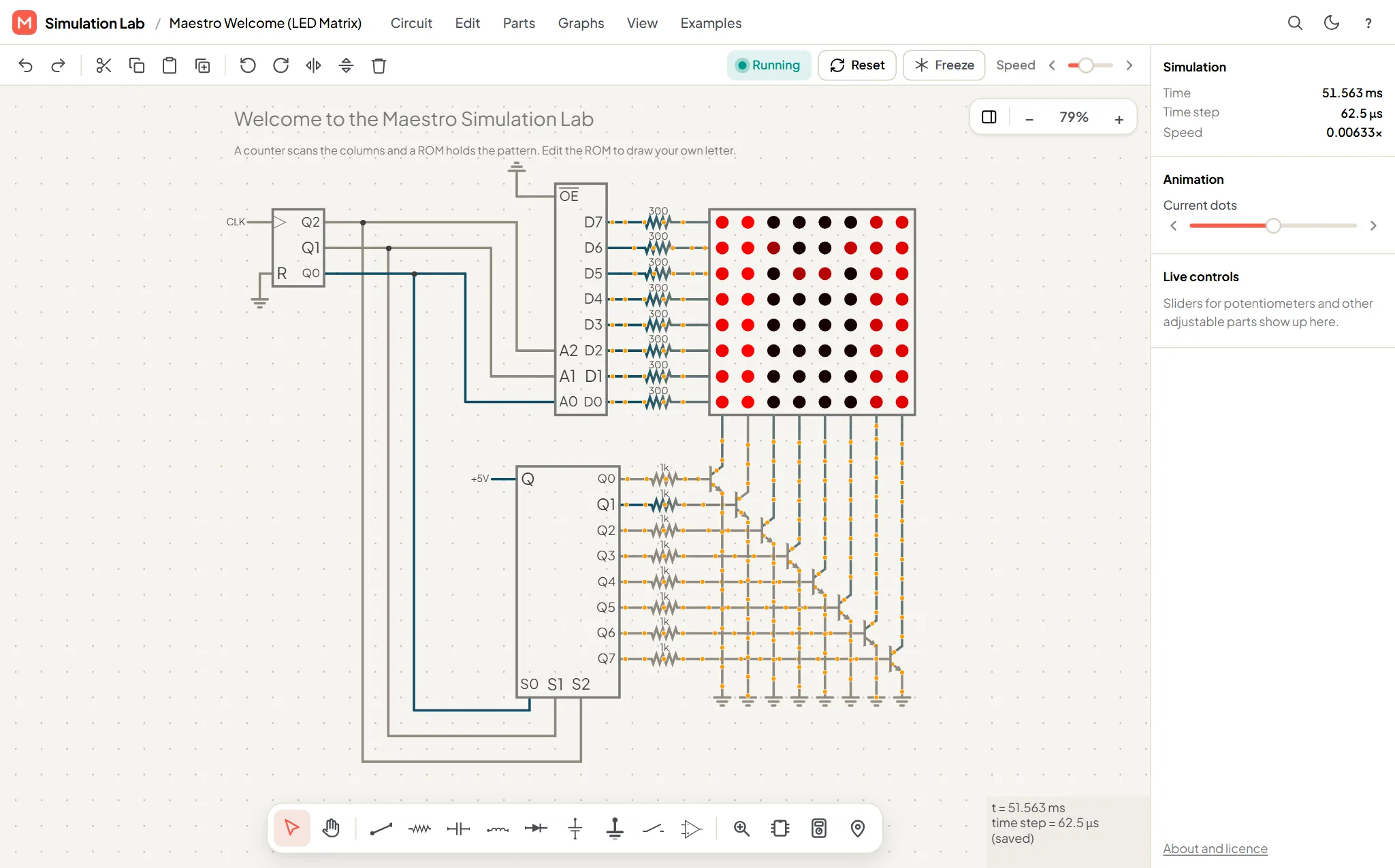
You can use it three ways:
- Labs: your own projects. Build, save, share and work with others. Open Labs in the sidebar.
- Circuit questions in mock tests and assessments, where the lab opens in exam mode.
- Lab work your college assigns. Find it under My college, then Lab work.
What you can build
- Analogue circuits: resistors, capacitors, inductors, diodes, transistors, op amps, filters.
- Digital circuits: logic gates, flip-flops, counters, shift registers, memory, displays.
- Mixed circuits: 555 timers, ADCs and DACs.
- Arduino circuits with real code, LEDs, LCDs, servos, keypads and sensors.
Learn it in this order
Editor tour: the screen and its parts.
Building circuits: place parts, wire them and set values.
Running and measuring: read voltages, currents and graphs.
Components: every part you can place.
Arduino: add a board and program it.
Also in this guide
- Instruments: multimeter, function generator, power supply, Bode plot.
- IC library: ready-made chips and your own.
- Projects and sharing: saving, versions, share links, collaboration.
- In tests and assignments: how circuit questions work and are marked.
- Troubleshooting and Keyboard shortcuts.
For Verilog, SPICE and other code, see Coding and HDL.